Release V0.9

Everything You Need.
Nothing You Don't.

A full-featured chat platform in a single binary.
Messaging, voice, video, screen sharing, 2FA, encryption at rest, bot API.
No subscriptions, No Telemetry, No Third-Party Services.


~21K
Lines of Code
1
Binary to Deploy
0
External Services
512MB
RAM Required

Industry Standard Chat,
Zero Compromise

Channels organized into collapsible categories, threaded replies, @mention autocomplete, custom emoji, reactions, link previews, typing indicators, and a local message cache for instant loads.
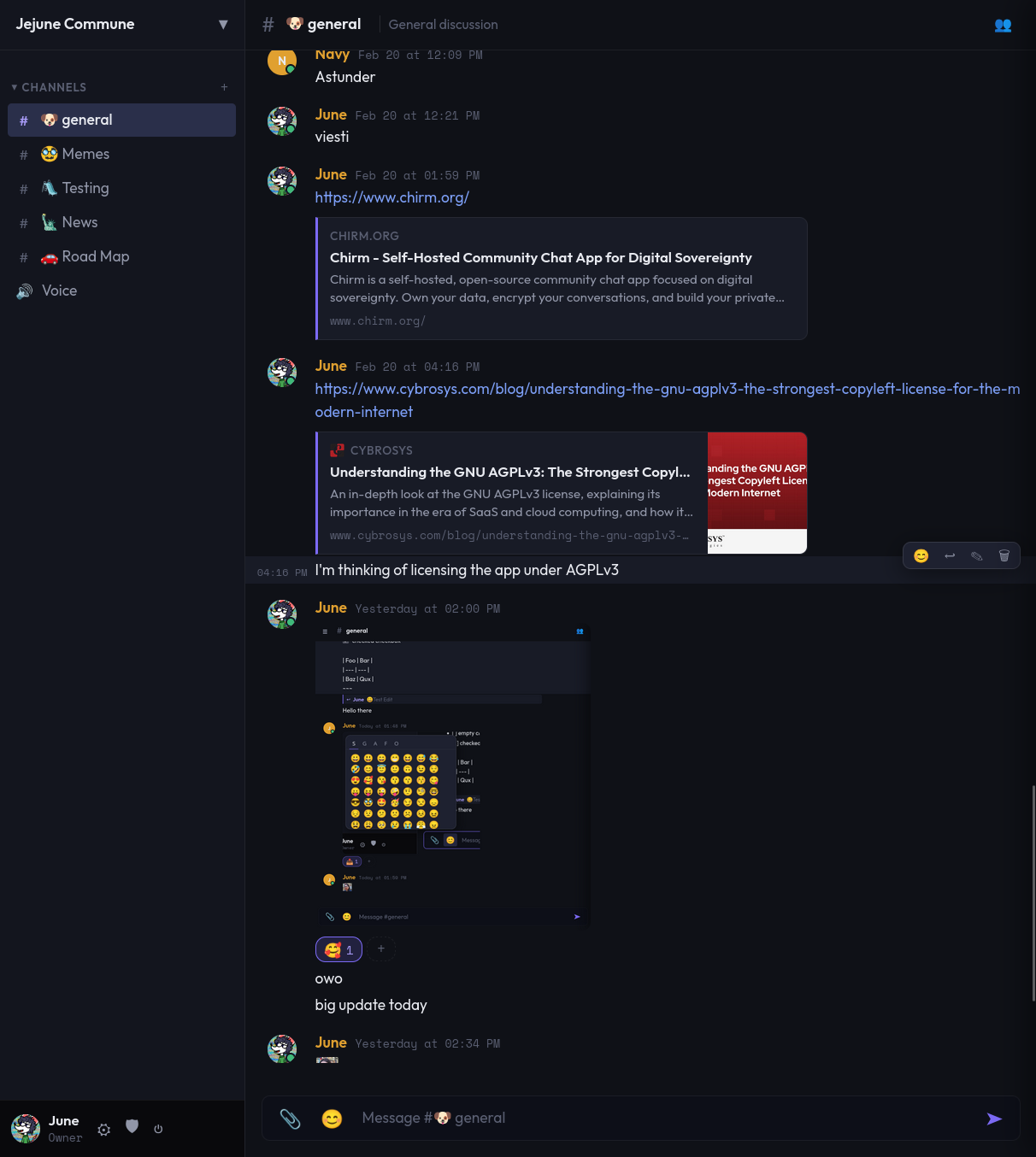
Channel Categories

Organize text, voice, forum, and gallery channels into collapsible groups. Assign emoji icons and drag to reorder.

Replies & Threads

Reply to any message with context. Keep conversations organized without overwhelming noise.

Custom Emoji & Reactions

Upload server-specific emoji. React to any message with built-in or custom emoji.

Link Previews

Shared URLs automatically unfurl with OpenGraph metadata — title, description, and thumbnail. Results cached for fast repeat access.

File Uploads

Share images, videos, audio, PDFs, text, and archives. Inline previews for media. Configurable size limits and per-user storage quotas.

Push Notifications

VAPID-powered Web Push. Get notified even with the tab closed. Per-channel muting and @mention controls.

PWA Installable
Forum Boards.
Media Galleries.

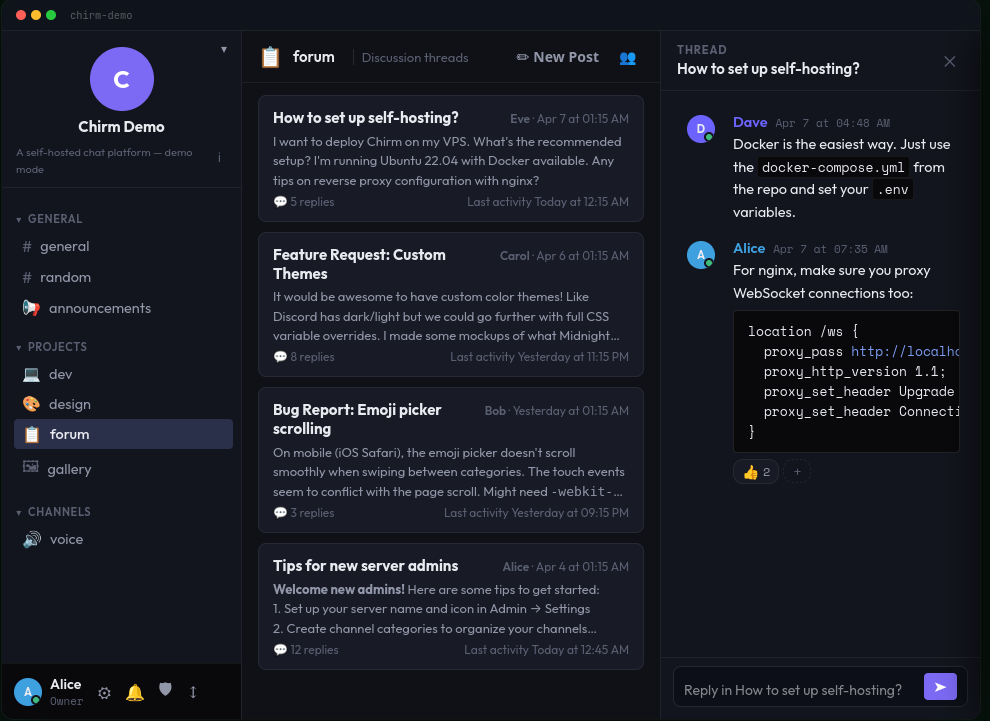
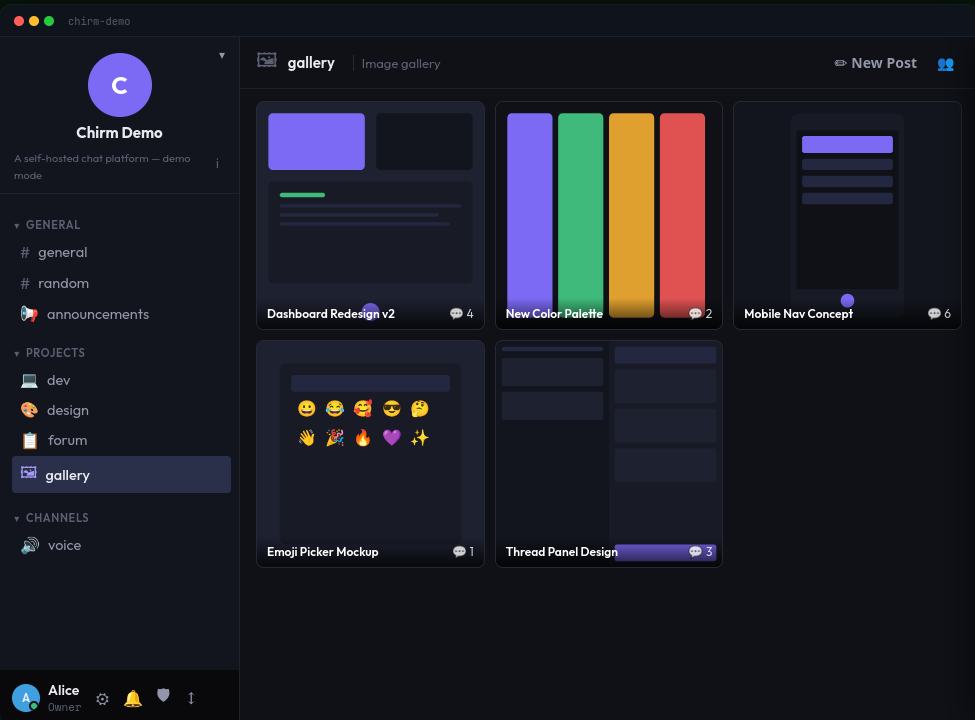
Beyond traditional chat. Forum channels present thread-first discussions with pagination. Gallery channels display media-rich posts in a visual grid. Both support threaded replies and the full Chirm feature set.

Chirm forum channel Chirm Gallery channel

Forum Channels

Thread-first discussions with paginated post lists. Each post is a thread with its own reply chain. Link previews auto-fill thumbnails.

Gallery Channels

Visual grid layout for media-rich content. Images display as cards, text posts get styled previews. Perfect for art, screenshots, or portfolios.

Unified Threading

All channel types share the same thread engine. Create discussions from any message, or start standalone posts in forum and gallery channels.

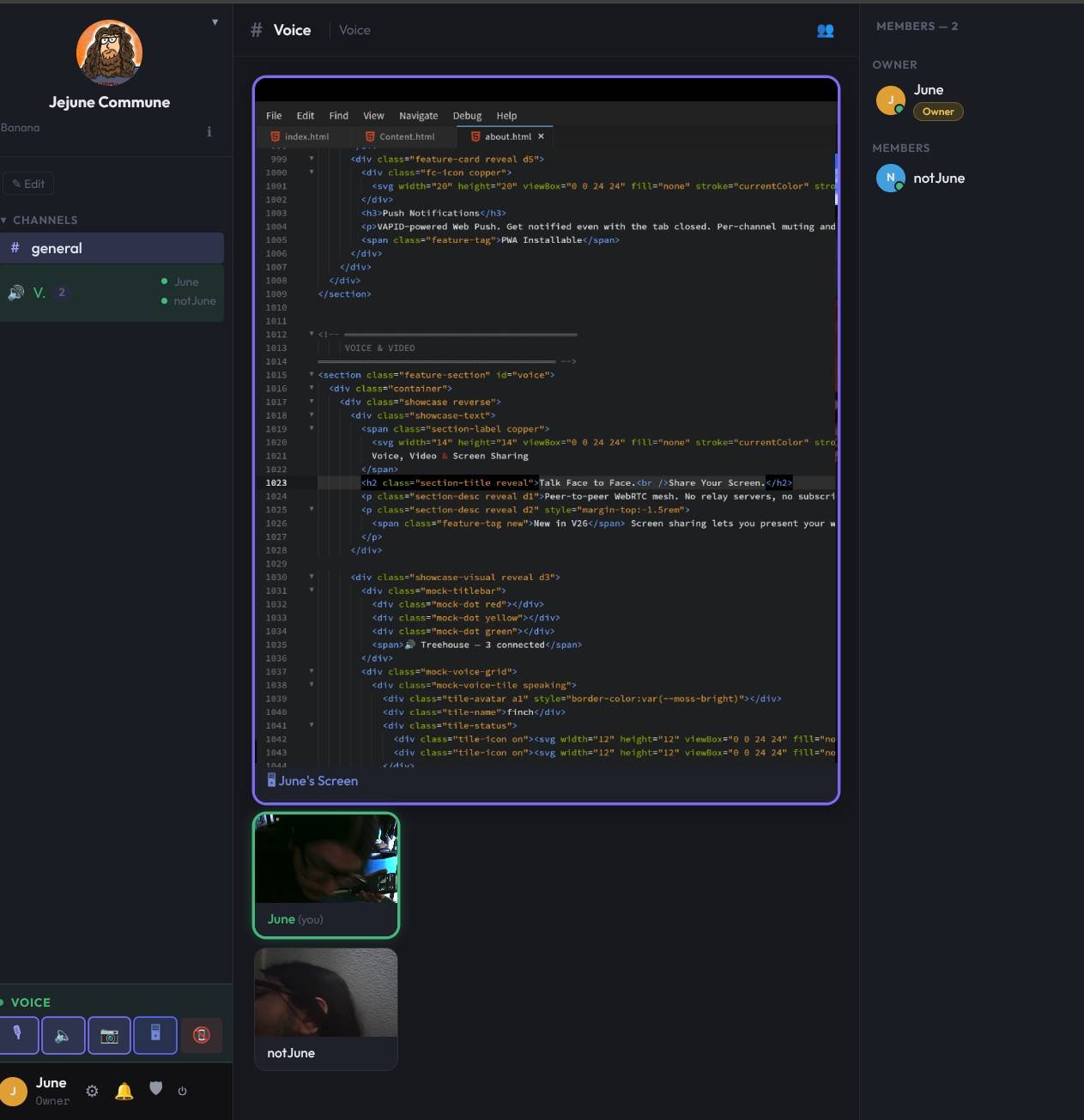
Talk Face to Face.
Share Your Screen.

Peer-to-peer WebRTC mesh. No relay servers, no subscriptions, no data leaves your network. Opus codec tuned at 128 kbps stereo for rich, clear audio.


Screen sharing lets you present your work, debug together, or watch videos as a group.

Screen Sharing

Share your entire screen or a single window. Present code, watch videos, or collaborate visually.

Per-User Controls

Adjust volume or mute individual participants locally. Your preferences persist across sessions.

Focus / Spotlight

Click any tile to enlarge it. Or enable auto-focus to spotlight whoever is currently speaking.

Full Control.
Your Server, Your Rules.

From the setup wizard to fine-grained permissions, Chirm puts you in charge of every aspect of your community.

Invite System

Generate invite codes with optional max-use and expiry. Require codes for registration or leave it open.

Roles & Permissions

Seven granular permissions stacked via colored, position-ordered roles. Assign multiple roles per user with visual hierarchy.

Setup Wizard

First-run wizard creates your server name, owner account, default channel, and @everyone role in 60 seconds.

Server Customization

Upload a server icon, customize the login background, configure registration policies, and create custom color themes from the admin panel.

User Profiles

Rich user profiles with avatar, banner, bio, and custom links. Set your status to online, away, or do not disturb.

Join Agreement

Require new members to accept server Terms of Service before registering. Markdown-formatted, configurable from the admin panel.

Hardened by Default.
Encrypted by Choice.

From automatic TLS to optional encryption at rest, Chirm treats security as a first-class concern — not an afterthought.

TOTP Two-Factor Auth

Enable TOTP on your account for a second login step. QR-scannable secrets, clock-drift tolerance, and one-time backup codes.

2FA

Encryption at Rest

Optionally encrypt uploaded files with AES-256-GCM. Per-record key derivation via HKDF-SHA256. Transparent lazy migration for existing data.

AES-256-GCM

Auto-TLS

Generates a persistent CA and signed server cert on first run. Install the CA once per device via /ca-cert.

Audit Logging

Structured security audit log with automatic daily rotation and configurable retention. Logs login attempts, 2FA events, and admin actions.

Account Lockout

Escalating lockout windows after failed login attempts: 5 failures triggers 5 minutes, scaling up to 24 hours at 20 attempts.

Rate Limiting

Per-IP throttling on auth endpoints prevents brute-force attacks. WebSocket messages capped at 64 KB.

Build On Top.
Extend Without Limits.

A clean API surface, an event bus for real-time hooks, and a sandboxed plugin interface mean Chirm grows with your community.

Bot API

Create bots with scoped bitmask permissions and token authentication. Post messages to any channel via the REST API. Tokens are regeneratable.

Plugin System

Sandboxed plugin interface with access to a scoped database, WebSocket hub, and HTTP router. Plugins subscribe to domain events and mount custom API routes.

Hooks

Domain Event Bus

In-process pub/sub event bus with 16+ event types covering messages, reactions, channels, threads, and user activity. Handlers run in isolated goroutines.

Battle-Tested.
Zero Bloat.

Every dependency earns its place. No ORM, no framework, no build step. Just Go, SQL, and vanilla JS.

Go

Go

Server, router, TLS, binary embedding

chi

Chi Router

Lightweight, composable HTTP routing

DB

SQLite

4-database architecture: auth, members, server, per-channel

WS

Gorilla WebSocket

Real-time messaging hub

JWT

JWT + bcrypt

Stateless auth, secure password hashing

RTC

WebRTC

Browser-native P2P voice, video, screen share

PUSH

Web Push (VAPID)

Hand-rolled encryption, zero dependencies

JS

Vanilla Frontend

No React, no bundler, no build step

ENC

AES-256-GCM

Field-level & file encryption at rest via HKDF-SHA256

Deploy Your Nest

Three commands. Sixty seconds. Full sovereignty.

View on GitHub
terminal
# Clone & configure
git clone https://github.com/Jacob-Ritchey/Chirm && cd Chirm
cp .env.example .env
echo "JWT_SECRET=$(openssl rand -hex 32)" >> .env

# Launch Manually
go mod tidy
go build -o chirm .
./chirm

# Launch with docker (Recommended)
git clone https://github.com/Jacob-Ritchey/Chirm
cd Chirm
docker compose up -d

# Open https://localhost:8443 → follow setup wizard